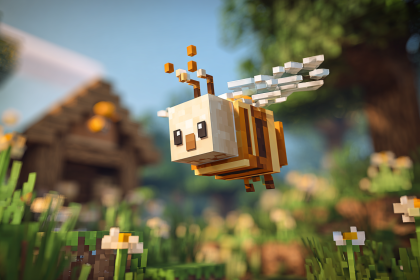

The bat is Minecraft’s only ambient mob, and it has exactly one job: make caves feel less empty. That is it. No drops. No experience. No interaction. Just a tiny, squeaking block of pixels flapping around in the dark, occasionally flying straight into lava and dying for no reason. The bat is the background extra of the mob world, and honestly, it commits to the role.
Bats were added in the Pretty Scary Update back in 2012, right alongside witches and Wither skeletons — mobs that actually do things. The bat showed up, contributed nothing of material value, and has been doing the same ever since. Mojang even gave it a full texture and model overhaul in 1.20.3, which is like getting a fresh coat of paint on a car with no engine. Still looks nice, though.
If you have ever been mining deep underground and heard a sudden high-pitched screech that made you flinch, congratulations — you have met a bat. They are completely harmless, totally useless in survival terms, and yet somehow one of the most memorable parts of early cave exploration. Love them or ignore them, they are not going anywhere.
Overview / Quick Stats
| Attribute | Details |
| Name | Bat |
| Namespaced Entity ID | minecraft:bat (Java) / bat (Bedrock, Numeric ID: 19) |
| Alignment | Passive (Ambient) |
| Dimensions / Hitbox | 0.5 blocks wide × 0.9 blocks tall |
| Health | 6 health points (3 hearts) |
| Armor | 0 |
| Base Damage | None — bats cannot attack |
| Movement Speed | Erratic flight with no fixed speed value — bats fly aimlessly with a slight eastward bias |
| Knockback Resistance | 0 |
| Follow / Detection Range | Not applicable — bats do not follow or detect players |
| Experience Drop | 0 XP |
| Spawn Location | Overworld — caves and dark enclosed spaces below Y level 63 |
| First Added | Java Edition 1.4.2 (12w38a) / Pocket Edition Alpha v0.11.0 |
| Last Major Change | Java Edition 1.20.3 / Bedrock Edition 1.20.50 — complete texture, model, and animation overhaul |
Appearance
After over a decade of looking like a smudgy brown blob with wings, the bat got a complete visual makeover in version 1.20.3. The new model features a darker body with prominent purple accents, oversized pointy ears, a small purple nose, and wider wings. The eyes sit on the sides of the head with white highlights, giving the bat a much cuter and more expressive look than the original design.
When idle, bats hang upside down from the underside of solid blocks, folding their wings tight against their body. When flying, the wings flap in a rapid, slightly erratic animation. The bat is less than one block tall and half a block wide, making it one of the smallest mobs in the entire game — only slightly larger than baby chickens, silverfish, and endermites.
There are no baby bats, no variant textures, and no visual differences between Java and Bedrock editions since both received the updated model. What you see is what you get — a tiny, purple-nosed cave dweller that exists to squeak at you.
Behavior & AI
- Flight Pattern: Bats fly around aimlessly with no specific target or destination. Their movement is erratic and unpredictable, with a slight bias toward flying east. They will change direction randomly and frequently bounce off walls, ceilings, and floors.
- Hanging Idle: When a bat stops flying, it seeks the underside of a solid, opaque block and hangs upside down. It stays in this position until disturbed by a player approaching within a few blocks or until it randomly decides to start flying again.
- Cannot Hang on Transparent Blocks: Bats will not hang from glass, slabs, leaves, fences, or any non-solid or transparent block. They need a full solid block above them to roost.
- Player Interaction: Bats have zero interaction with the player. They cannot be tamed, fed, bred, leashed, or led. If you hit one, it simply flies away. It does not fight back because it has no attack.
- Despawning: Bats are ambient mobs, which means they constantly spawn and constantly despawn. If no player is within range, bats will despawn like any other mob outside the persistence radius. They have their own ambient mob cap, separate from hostile and passive caps.
- Lava and Water: Bats have no pathfinding intelligence around lava. They will happily fly straight into a lava pool, catch fire, and die. It happens constantly in caves with exposed lava, and it is as sad and pointless as it sounds. They can also fly through water without drowning.
- Daylight Behavior: Bats do not burn in sunlight and do not specifically avoid it, but their spawning conditions mean they are almost always found underground. If somehow exposed to daylight, they continue flying normally.
Spawning
| Spawn Condition | Details |
| Location | Overworld — any enclosed dark space, most commonly natural caves and ravines |
| Biomes | All Overworld biomes — bats are not biome-restricted |
| Y-Level Range | Below Y level 63. On Superflat worlds, they spawn below the top non-air layer regardless of Y level. |
| Light Level | 3 or less in neighboring blocks. During the Halloween season (October 20 – November 3), the threshold increases to 6 or less in Java Edition only. |
| Required Block | Must spawn on an opaque block with at least 2 air blocks above (or a top trapdoor/top slab in the block above foot level). Will not spawn on glass or slabs. |
| Group Size | Java: Up to 8 Bedrock: Up to 2 |
| Weight | 10 (ambient mob category). Since bats are the only mob in the ambient category, they always fill the ambient mob cap when conditions are met. |
| Edition Differences | Java Edition has the Halloween spawn boost (October 20 – November 3) with a relaxed light level of 6. Bedrock Edition does not have this seasonal feature. Java allows groups of up to 8; Bedrock caps at 2. |
Interactions with Environment & Other Mobs
- Warden: The Warden will attack bats if it detects their vibrations. This makes bats one of the few mobs the Warden will target despite being passive. If you are sneaking through a Deep Dark biome and a bat starts squeaking nearby, that is a genuinely bad situation — the bat becomes an accidental alarm system.
- Cats and Ocelots: Bats have no special interactions with cats or ocelots, despite real-world bats and cats being… well, you would think there would be something there. There is not.
- No Mob Interactions: No mob targets bats other than the Warden. Bats do not trigger iron golems, are ignored by hostile mobs, and do not interact with villagers or any other entity in any meaningful way.
- Pressure Plates and Crops: As of 12w42a, bats no longer trample crops or activate pressure plates. Early on they could, which was both hilarious and infuriating for anyone trying to farm underground.
- Boats and Minecarts: Bats cannot ride in boats or minecarts under normal circumstances.
- Leads: You cannot attach a lead to a bat. They are one of the few mobs that simply refuse to be leashed.
Drops & Loot
| Item | Quantity | Chance | Notes |
| Nothing | 0 | 100% | Bats drop absolutely nothing when killed. No items, no experience orbs, no satisfaction. Looting enchantments do not change this. The bat’s loot table is completely empty. |
Player Uses & Farming
- Practical Use: None. Bats have zero gameplay utility. They drop nothing, give no experience, cannot be tamed or bred, and serve purely as ambient decoration. They are the screensaver of Minecraft mobs.
- Cave Indicator: The one unofficial use players have found for bats is as a crude cave-finding tool. If you hear bat squeaks while mining, there is an open dark space nearby. It is not exactly GPS, but it is a clue.
- Warden Hazard: In the Deep Dark, bats can be a genuine problem. Their flight and squeaking produce vibrations that the Warden can detect. If a bat spawns near a sculk sensor while you are trying to sneak through, it can trigger the Warden on your behalf. Placing wool around sculk sensors can help dampen vibrations from nearby bats.
- Farming: There is no reason to farm bats. No drops means no loot, and no experience means no XP. Building a bat farm would be the Minecraft equivalent of collecting your own belly button lint — technically possible, completely pointless.
- Map Builds and Decoration: Some map creators use bats to add atmosphere to custom dungeons, haunted houses, or adventure maps. Spawning them with commands in specific areas creates a spooky cave feel without any actual danger.
Commands & NBT
Bats are simple entities with minimal NBT data, but here are the most useful command examples:
/summon minecraft:bat ~ ~1 ~Summons a bat one block above your position.
/summon minecraft:bat ~ ~1 ~ {BatFlags:1b}Summons a bat that spawns in the hanging (roosting) state, clinging to the block above it.
/summon minecraft:bat ~ ~1 ~ {NoAI:1b}Summons a bat with no AI. It will float in place and not move, fly, or respond to anything. Useful for decoration in custom maps.
/summon minecraft:bat ~ ~1 ~ {Silent:1b, Invulnerable:1b, NoAI:1b, CustomName:'{"text":"Cave Buddy"}', CustomNameVisible:1b}Summons a silent, invulnerable, motionless bat with a visible custom name. Perfect for map-maker setups or just giving yourself a little friend.
/kill @e[type=minecraft:bat]Removes all bats in loaded chunks. Useful if the squeaking is driving you up a wall.
Notable NBT keys for bats:
BatFlags— Byte tag. Set to1bif the bat is hanging upside down,0bif flying. This is the bat’s only unique NBT property.NoAI— Disables all AI behavior. The bat will not fly, hang, or move.Silent— Prevents the bat from making any ambient, hurt, or death sounds.Invulnerable— Makes the bat immune to all damage except Creative mode and the /kill command.CustomName— Assigns a custom display name using JSON text format.
Tags, Gamerules & Datapack Hooks
- Entity Type Tags (Java): Bats are included in several entity type tags including
#minecraft:fall_damage_immune,#minecraft:non_controlling_rider, and are categorized under theambientcreature type for mob cap calculations. - Mob Cap Category: Ambient. The ambient mob cap is 15 in singleplayer by default. Since bats are the only vanilla mob in this category, they have the entire cap to themselves.
- Gamerule — doMobSpawning: Setting
doMobSpawningtofalseprevents bats from spawning naturally, which is the easiest way to silence caves without mods. - Gamerule — mobGriefing: Does not affect bats, since they cannot grief anything.
- Loot Table Path:
minecraft:entities/bat— The loot table is empty by default. Datapack creators can modify this to make bats drop custom items, which finally gives them a purpose if you want one. - Spawn Rules (Bedrock): Defined in the behavior pack under
spawn_rules/bat.json. Can be edited in Bedrock add-ons to change light levels, biome restrictions, or group sizes.
Difficulty & Edition Differences
- Difficulty Levels: Bats are completely unaffected by difficulty settings. They behave identically on Peaceful, Easy, Normal, and Hard. Since they have no attack and no drops, there is nothing for difficulty to change.
- Peaceful Mode: Bats spawn normally on Peaceful difficulty, unlike hostile mobs which are removed entirely. This is because bats are classified as ambient, not hostile.
- Java vs. Bedrock — Group Size: Java Edition allows bats to spawn in groups of up to 8, while Bedrock Edition caps groups at 2. This means Java caves tend to feel significantly more bat-populated.
- Java vs. Bedrock — Halloween Spawning: In Java Edition, between October 20 and November 3, bats can spawn at light levels of 6 or less instead of the usual 3 or less. Bedrock Edition does not include this seasonal change.
- Java vs. Bedrock — Mob Cap: The ambient mob cap in Java is 15 per player. In Bedrock, mob cap calculations differ and ambient mobs may spawn more or less frequently depending on chunk loading behavior.
- Entity ID: Java uses the namespaced ID
minecraft:bat. Bedrock usesbatwith numeric ID 19.
Sounds & Audio
- Ambient (Idle):
entity.bat.ambient— The high-pitched squeaking that echoes through caves. Plays randomly while the bat is alive. Subtitle displays as “Bat screeches.” Sound category: Friendly Creatures. - Hurt:
entity.bat.hurt— A short, sharp squeak when the bat takes damage. Subtitle displays as “Bat hurts.” - Death:
entity.bat.death— A slightly longer squeak on death. Subtitle displays as “Bat dies.” - Takeoff:
entity.bat.takeoff— Plays when a roosting bat begins flying. Subtitle displays as “Bat takes off.” - Loop (Unused):
entity.bat.loop— An unused sound event that exists in the game files but is not triggered by any bat behavior. It has no subtitle and no known function. - Attenuation Distance: All bat sounds have an attenuation distance of 16 blocks, which is why you can hear them squeaking from a reasonable distance in caves.
History & Major Changes
- Java 1.4.2 (12w38a): Bats were added to the game as part of the Pretty Scary Update alongside witches, Wither skeletons, and the Wither boss.
- Java 1.4.2 (12w42a): Bats were patched so they no longer trample crops or activate pressure plates.
- Java 1.4.2 (1.4-pre): Bat sound events were added — ambient, hurt, death, and takeoff.
- Java 1.11 (16w32a): Entity ID changed from
Battominecraft:batas part of the entity ID flattening. - Java 1.14 (18w43a): Bat texture was updated for the first time as part of the JAPPA texture overhaul. The model remained the same.
- Java 1.20.3 (23w43a): Bats received a complete model, texture, and animation overhaul. The new design features larger ears, purple accents, a purple nose, new eye placement, and updated wing animations. This was the bat’s most significant change in 11 years.
- Pocket Edition Alpha v0.11.0 (build 1): Bats were first added to Bedrock Edition.
- Bedrock 1.10.0 (beta 1.10.0.3): Bedrock bat texture was updated to match the 2018 JAPPA texture from Java.
- Bedrock 1.20.50: Bedrock bat received the new 1.20.3 model and texture to match Java Edition.
Notable Bugs & Quirks
- Eastward Bias: Bats have a documented tendency to fly slightly toward the east. This is not intentional game design — it is a quirk of their flight AI that has been present since they were added.
- Lava Deaths: Because bats have no pathfinding around hazards, they frequently fly directly into lava pools and die. In caves with exposed lava, you will regularly see bats catching fire midair. It is a constant, tiny tragedy.
- Spawning in Player Builds: If your underground base or storage room is dark enough and below Y level 63, bats can and will spawn inside it. Lighting the area to light level 4 or higher prevents this, but many players discover this the hard way when they hear squeaking in their bedroom at 3 AM.
- Superflat Spawning: On Superflat worlds, bats ignore the Y level 63 restriction and spawn below the highest non-air block regardless of actual height. This means even on a flat world with a height of Y 4, bats can spawn if conditions are met.
- MC-177087: The
entity.bat.loopsound event has been unused since bats were added. It exists in the sound registry but is never played in-game.
Advancements / Achievements
- Adventure — “Adventuring Time” (Java): Bats do not contribute to any specific advancement. Finding or killing a bat does not trigger any advancement in Java Edition.
- Adventure — “Monster Hunter” / “Monsters Hunted” (Java): Bats are not included in these advancements because they are classified as ambient mobs, not hostile mobs.
- Bedrock Achievements: There are no achievements related to bats in Bedrock Edition either. They exist outside the achievement system entirely.
- The only indirect advancement connection: If you are completing “Adventuring Time” and happen to be exploring caves in every biome, you will encounter plenty of bats along the way. They are the unofficial mascot of that grind.
Spin-offs, Culture & Trivia
- Ambient Mob Classification: According to Jeb, the bat was designed as an ambient mob — something that spawns and despawns constantly, similar to squid, to populate spaces that would otherwise feel empty. It was never intended to have gameplay impact.
- Halloween Easter Egg: The increased spawn rate between October 20 and November 3 in Java Edition is a deliberate Halloween reference. Mojang timed the original Pretty Scary Update release to coincide with the holiday as well.
- Only Passive Flying Overworld Mob (Originally): When bats were first added, they were the only passive mob that could fly and the only flying mob that naturally spawned in the Overworld. Parrots, bees, phantoms, and allays have since joined the airborne club.
- Merchandise: Bats have appeared in official Minecraft merchandise including LEGO sets, plush toys by JINX, and promotional Halloween artwork including the “Bat Trick or Treat” shirt design.
- Pretty Scary Update Art: The bat was featured in the promotional artwork for the Pretty Scary Update (Java Edition 1.4.2), sharing the spotlight with witches.
- Fan Sentiment: The bat is one of the most divisive mobs in the community. Some players love the atmosphere they add to caves, while others consider them the most pointless mob ever added. The 1.20.3 redesign was widely praised for making them look significantly cuter.
- Bug Tracker Fame: MC-973, one of the earliest bug reports on the Mojang bug tracker, complained that bat noises are painful and cause headaches. The report has been a community meme for years.
See Also
- Warden — targets bats through vibration detection
- Phantom — another flying mob, but hostile and nocturnal
- Parrot — a tameable passive flying mob
- Allay — a helpful flying mob that collects items
- Bee — a neutral flying mob with practical uses
- Sculk Sensor — triggered by bat vibrations in the Deep Dark
- Mob Cap — bats occupy their own ambient mob cap